
Skip to content
XMCL / إصدار LINUX

مشغل Minecraft يبدو أصلياً على Linux.

مشغل مفتوح المصدر لأجهزة Linux المكتبية وSteam Deck. اختر الحزمة المناسبة وابدأ أي عالم بنقرة واضحة.
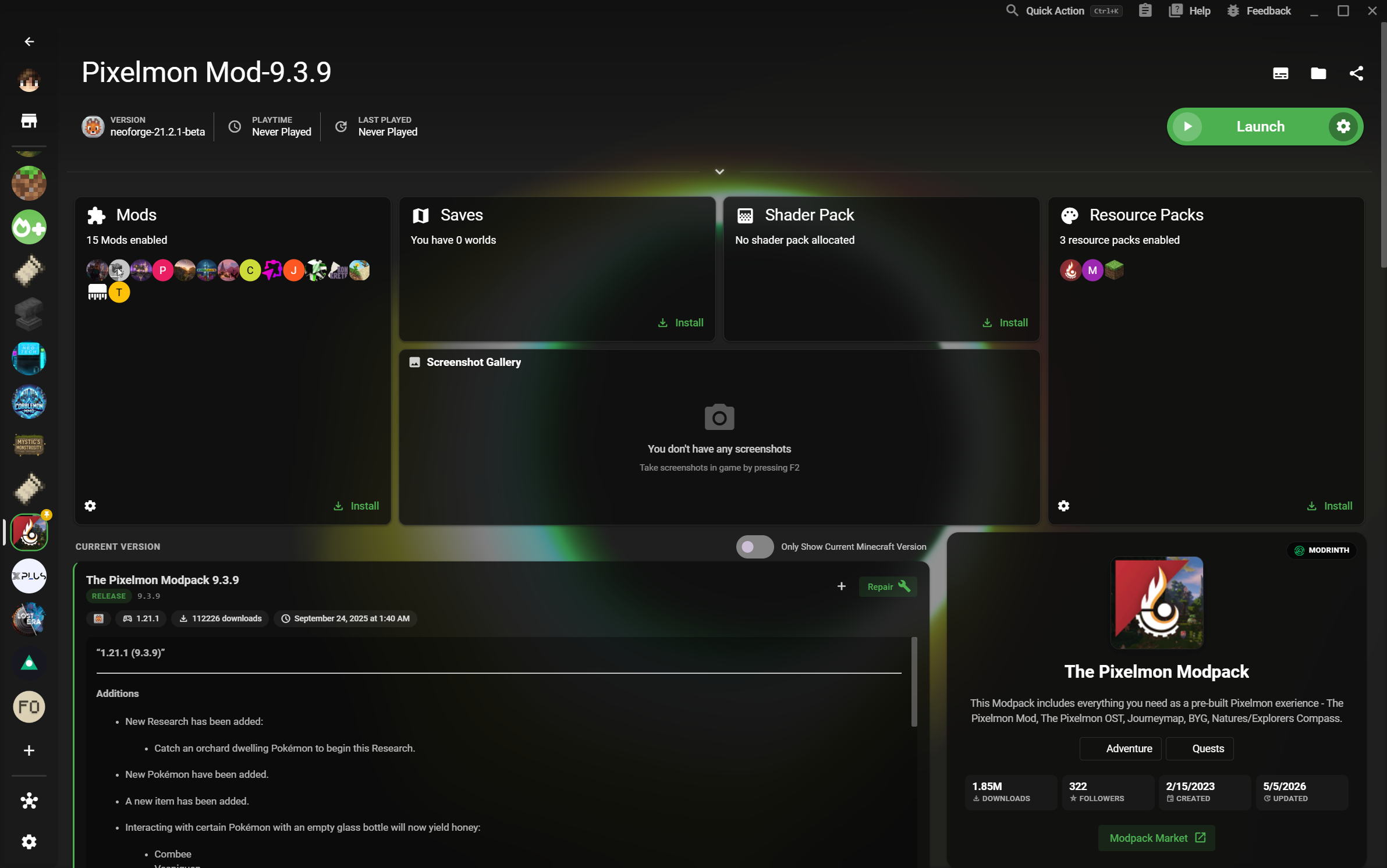
إصدارات Linux أصلية ودعم ARM64 وFlathub
01 / 02
XMCL · مساحة عمل Linux
الصفحة الرئيسية لـ XMCL مع مكتبة عوالم Minecraft
مساحة عمل جاهزة لـ 4K
جاهز لعالمك التالي
05
Linux packages

DEB, RPM, AppImage, tar.xz, and Flathub.

4K
Clear at any scale

A dense library that stays readable on a large display.

Separate worlds

Keep versions, loaders, and saves from colliding.

سير عمل LINUX أولاً

من الحزمة إلى اللعب بدون تعقيد.

يجمع XMCL التثبيت الموثوق والواجهة الواضحة وبيئات اللعب المستقلة للاعبي Linux.
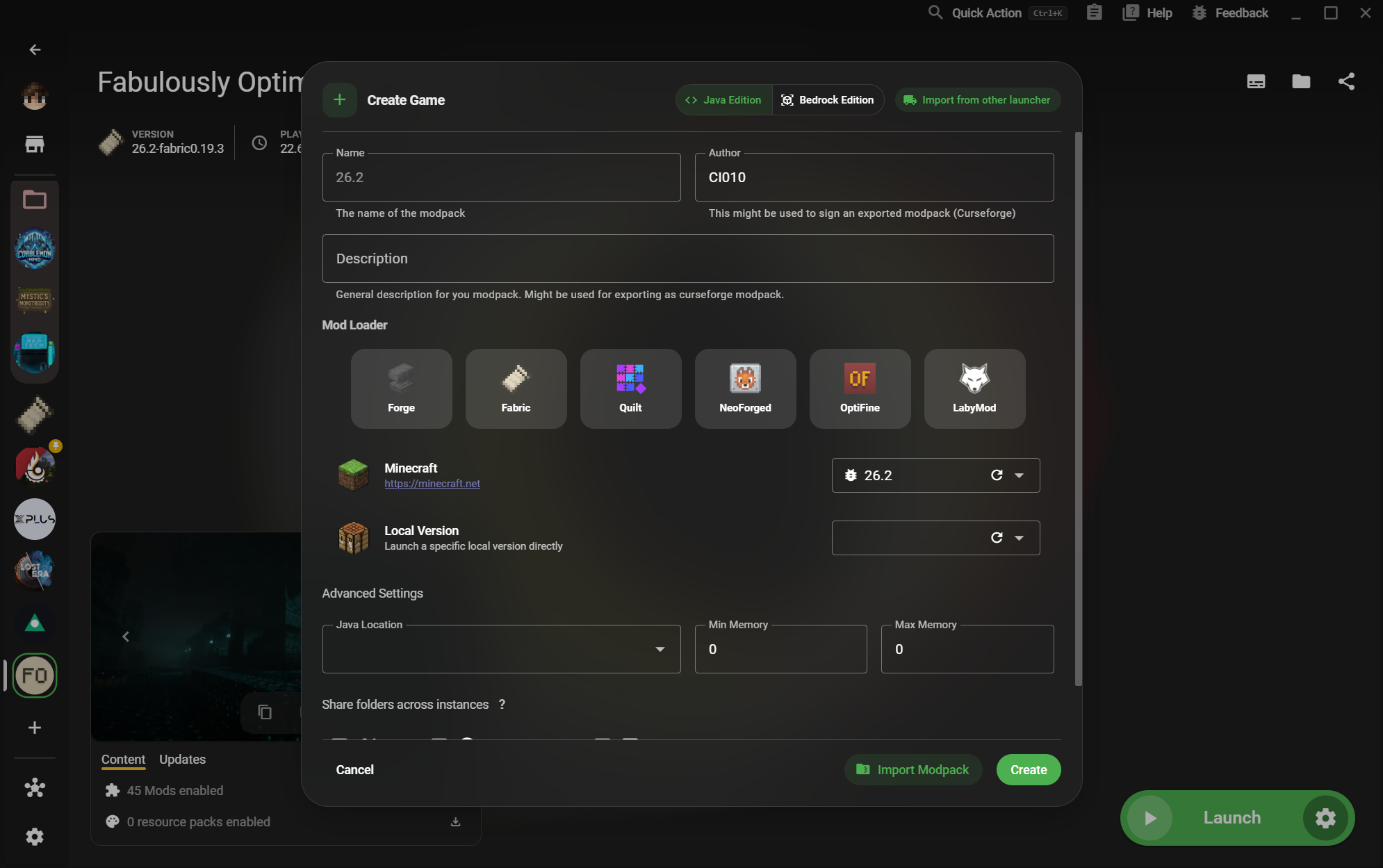
01XMCL create instance dialog with Minecraft versions and mod loaders

Use the format your distribution understands.

Download a native package for your desktop or use Flathub when you want a portable, Steam Deck-friendly route. XMCL also offers ARM64 builds where the hardware calls for them.
  • DEB and RPM for mainstream Linux desktops
  • AppImage and tar.xz for portable installs
  • Flathub support for Steam Deck
02XMCL instance library with organized Minecraft game profiles

Every instance gets its own clean runway.

Separate vanilla, modded, testing, and server setups without juggling folders by hand. Your versions, loaders, mods, saves, and settings stay together.

  • Independent game data and launch settings
  • Forge, Fabric, Quilt, NeoForge, and more
  • Fast switching between worlds and experiments
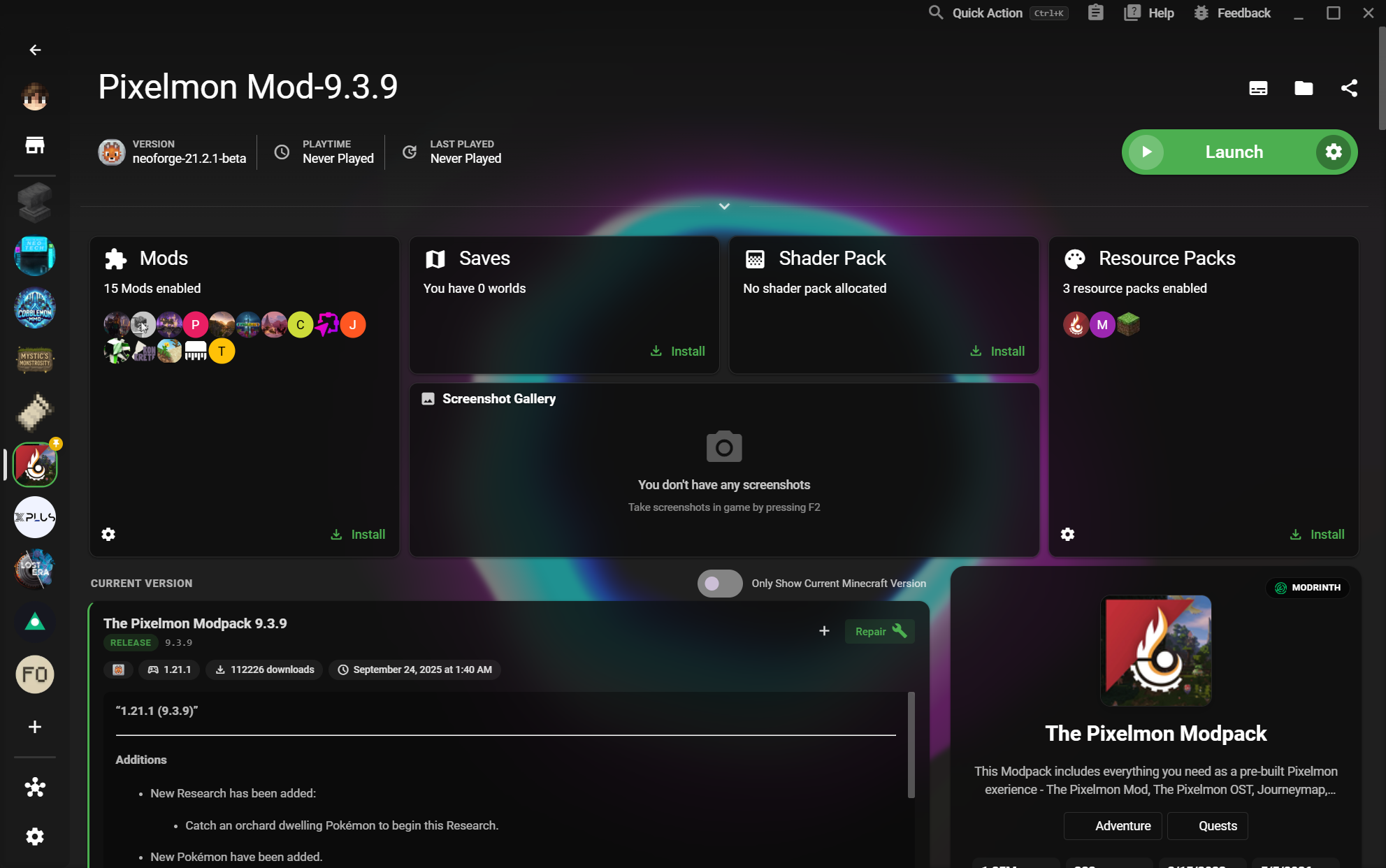
03X Minecraft Launcher home page with a large instance library

A desktop launcher that travels well.

Move from a Linux desktop to a Steam Deck session without giving up a clear library or a dependable setup. XMCL gives your collection room to grow without turning it into a spreadsheet.

  • Flathub path designed for Steam Deck
  • A focused interface on 4K displays
  • Open source and built for Linux players
تنزيل لـ LINUX

ثبّت XMCL بطريقتك.

اختر الحزمة المناسبة لنظامك أو استخدم Flathub على Steam Deck.

عرض كل الإصدارات والبنيات